The Anki Paradox: Powerful But Painful
Let's be honest: Anki is the gold standard for spaced repetition. Its algorithm is open-source, battle-tested, and responsible for helping millions of medical students pass their boards.
But here's the paradox: most students who download Anki quit within 2 weeks.
Why? Because Anki requires you to do everything manually. You type every card. You format every field. You manage every deck. You troubleshoot plugins. By the time you've set up your study system, you've burned through the time you were supposed to spend actually studying.
Ready for spaced repetition without the setup headache? Try Atlas AI — it's free →
Why Students Quit Anki
- •Manual Card Creation — You read your textbook, identify key terms, and type Q&A pairs one by one. A single chapter can take 2+ hours to convert into cards.
- •Ugly Interface — Anki's UI was designed in 2006 and it shows. No modern design, no intuitive navigation.
- •Plugin Dependency — Want images? Install a plugin. Want better formatting? Another plugin. LaTeX? Configure it yourself.
- •No Document Integration — Anki doesn't read your PDFs. It doesn't know what you're studying. It's just a blank flashcard maker.
- •Overwhelming Deck Management — After 3 months, you have 2,000 cards across 15 decks and no idea which ones matter.
The Best Anki Alternative: Atlas AI
Atlas AI keeps the best part of Anki — spaced repetition science — and eliminates everything painful about it.
How It's Different:
1. AI Creates Your Cards Automatically
Upload your PDF, PowerPoint, or paste a YouTube link. In 30 seconds, Atlas AI reads the entire document and generates a complete flashcard deck. No typing. No formatting. No plugins.
2. Built-in Spaced Repetition (Like Anki, But Automatic)
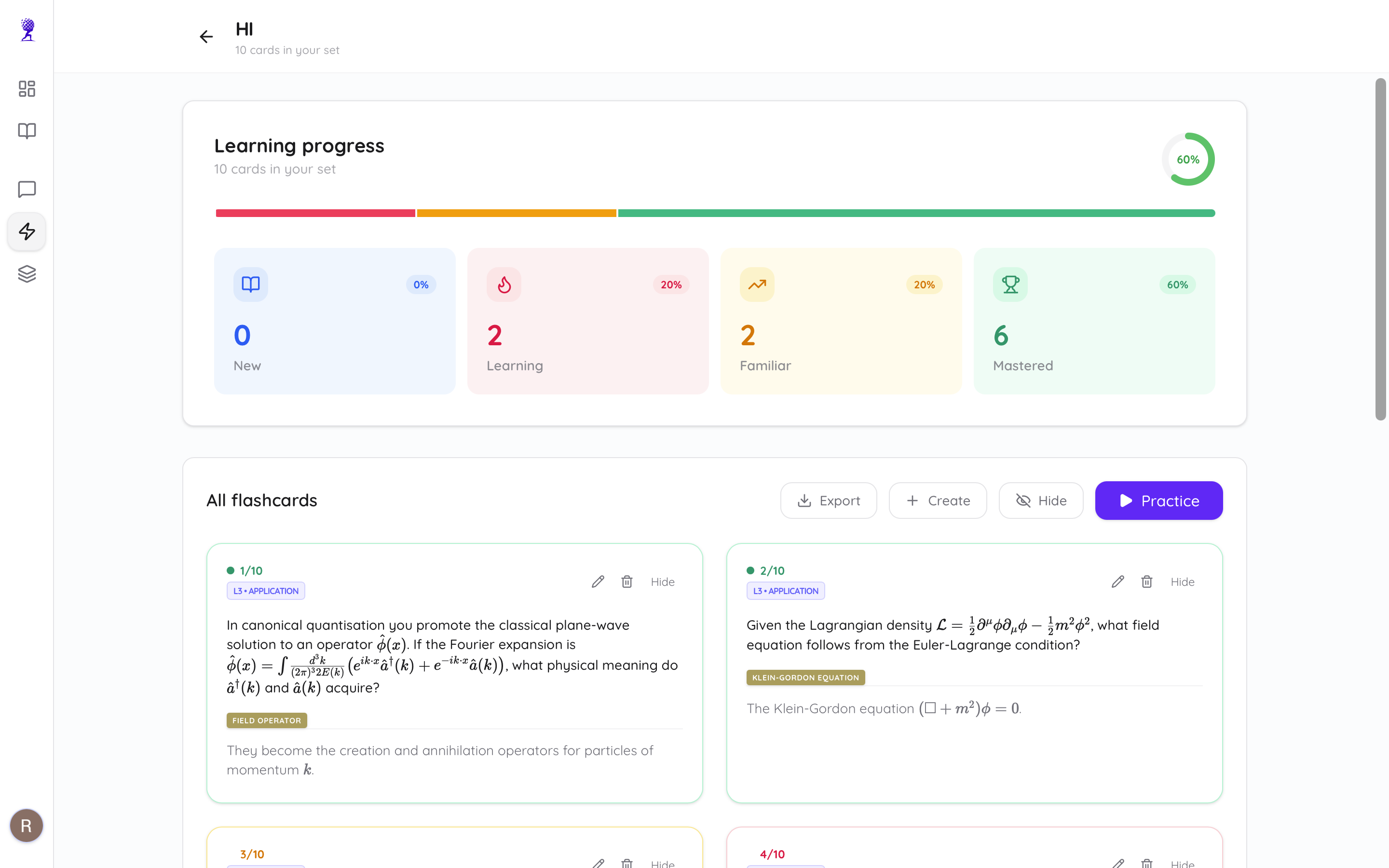
Atlas AI uses an adaptive SRS algorithm similar to Anki's SM-2. Cards are automatically categorized as New → Learning → Mastered based on your performance. But unlike Anki, you don't configure intervals manually — the AI adjusts dynamically.
3. It's More Than Just Flashcards
When you upload a document to Atlas AI, you get:
- •Flashcards with spaced repetition
- •Clean study notes with key concepts highlighted (learn more)
- •Practice quizzes with answer explanations (learn more)
- •AI chat with page-level citations
One upload → four study tools. With Anki, you only get blank cards.
Feature Comparison: Anki vs Atlas AI
| Feature | Anki | Atlas AI |
|---|---|---|
| Card Creation | Manual (you type everything) | AI-generated from PDFs |
| Spaced Repetition | ✅ SM-2 Algorithm | ✅ Adaptive SRS |
| LaTeX / Math | Via plugins | ✅ Built-in KaTeX |
| PDF Upload | ❌ No | ✅ Yes |
| YouTube to Cards | ❌ No | ✅ Yes |
| Practice Quizzes | ❌ No | ✅ Yes |
| AI Chat with Docs | ❌ No | ✅ With citations |
| Mobile App | ❌ Separate (AnkiDroid) | ✅ Responsive web app |
| Price | Free (Desktop) | Free tier / $9/mo Premium |
| Setup Time | Hours (plugins, config) | 30 seconds |
When Anki Is Still Better
Let's be fair — Anki still wins in a few specific cases:
- •Pre-made shared decks — The Anki community has massive shared decks (like AnKing for medical students). If your exact deck exists, it's hard to beat.
- •Extreme customization — Power users who want to control every interval parameter will prefer Anki.
- •Offline-first desktop app — Anki's desktop app works without internet.
For everyone else — especially students who want to study from their own materials without spending hours on setup — Atlas AI is the modern alternative.
How to Switch from Anki to Atlas AI
- •Export your PDFs from wherever you have them
- •Upload to Atlas AI — the AI generates cards automatically
- •Start reviewing with built-in spaced repetition
You'll have a complete study system in under 60 seconds. No plugins. No configuration. No manual typing.
Love spaced repetition? Hate the setup? Switch to Atlas AI for free →